
How to Create an Upstox App
Follow these simple steps to create your Upstox app and get your API credentials.
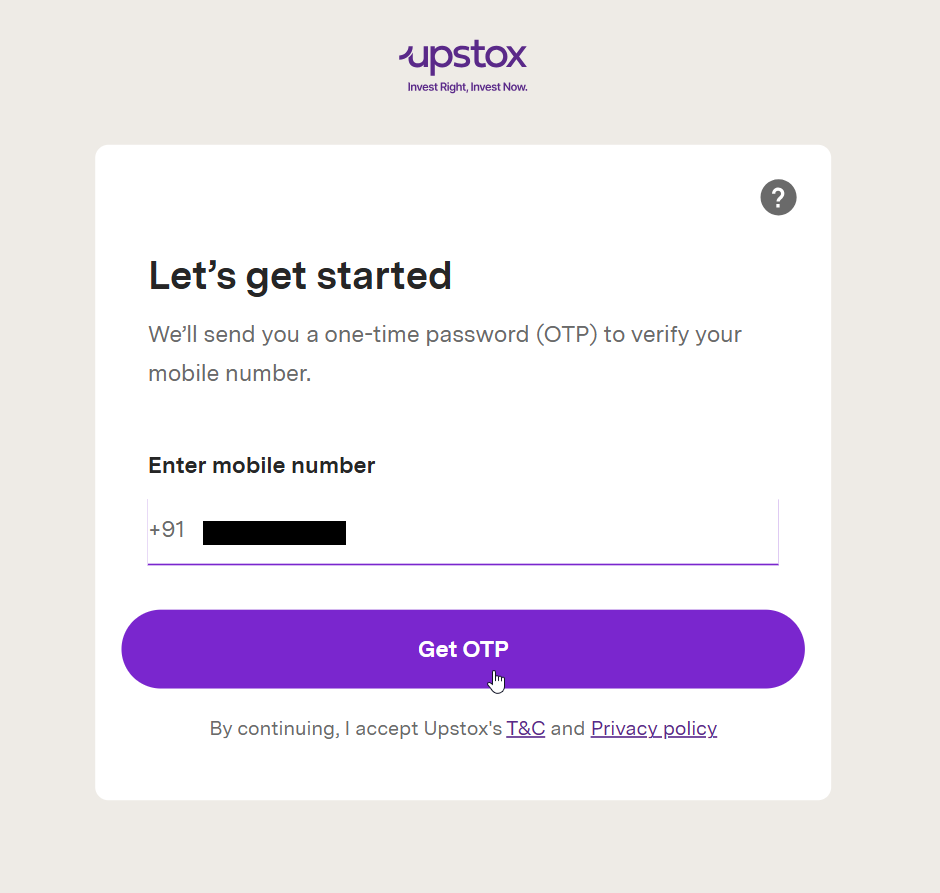
Login to Upstox Developer Portal
Go to account.upstox.com/developer/apps
Login using your registered mobile number and PIN/OTP.
Open Developer Dashboard
After logging in, you will land on the Developer Apps dashboard where you can see and manage all your API apps.
Create a New App
Click on the "+ App" or "New App" button to start creating your new API application.

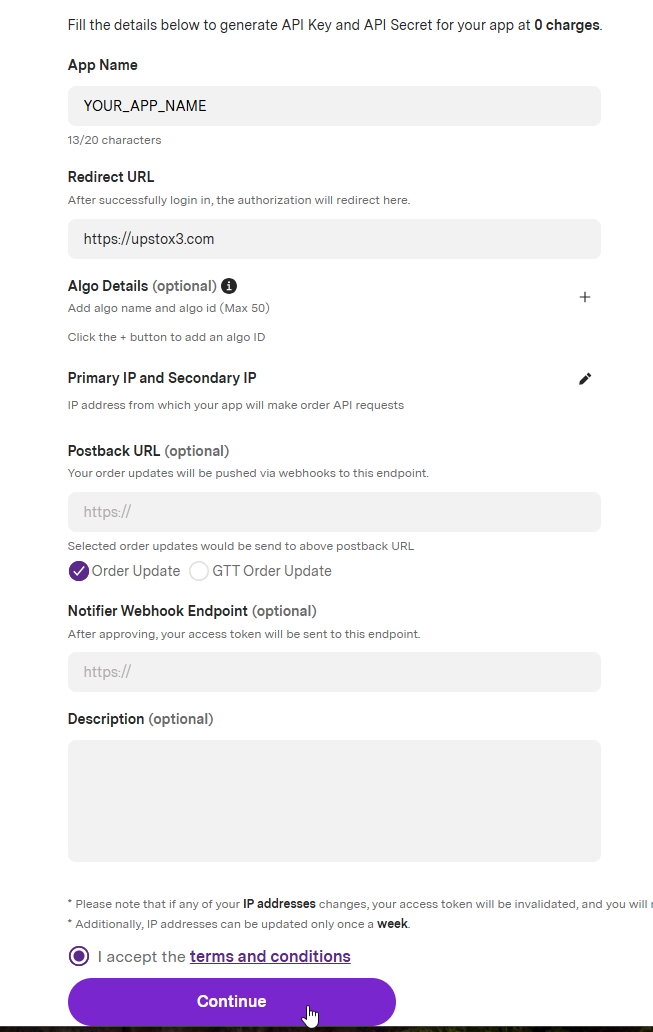
Fill App Details
Enter the required details to configure your application:
- App Name: Choose any name (e.g., MyAlgoApp)
- Redirect URL: Paste the URL below
https://upstoxapp3.com
Accept the Terms & Conditions and click Continue.
Get API Credentials
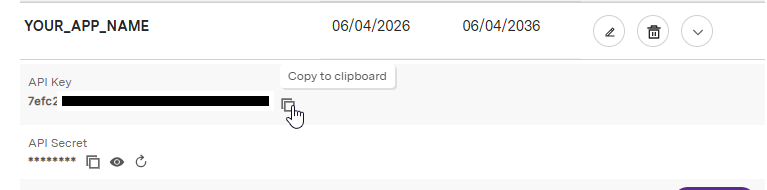
Once the app is created, you will receive your credentials:
- • API Key
- • API Secret Key
Important:
Keep these credentials safe. Do NOT share them publicly.
Done!
You have successfully created your Upstox App.
You can now use these credentials to connect your trading system or application.
Pro Tip
- Use separate apps for testing and production
- Never expose API keys in frontend code
- Store secrets securely (e.g., environment variables)